Calm Focus
A beautifully simple Pomodoro timer that helps you do focused work without the noise. Start a session, watch the hourglass and ring wind down, then take a mindful break. Each completed session grows a peaceful nature scene — your quiet, long-term motivation.
Most focus apps try to motivate you with streak pressure, points, badges, and notifications that pile up. Calm Focus takes the opposite approach. There is one screen, one timer, and one slowly growing landscape. Nothing flashes, nothing nags, and nothing is trying to pull you back in. The reward for focusing is simply that your garden is a little further along than it was yesterday.
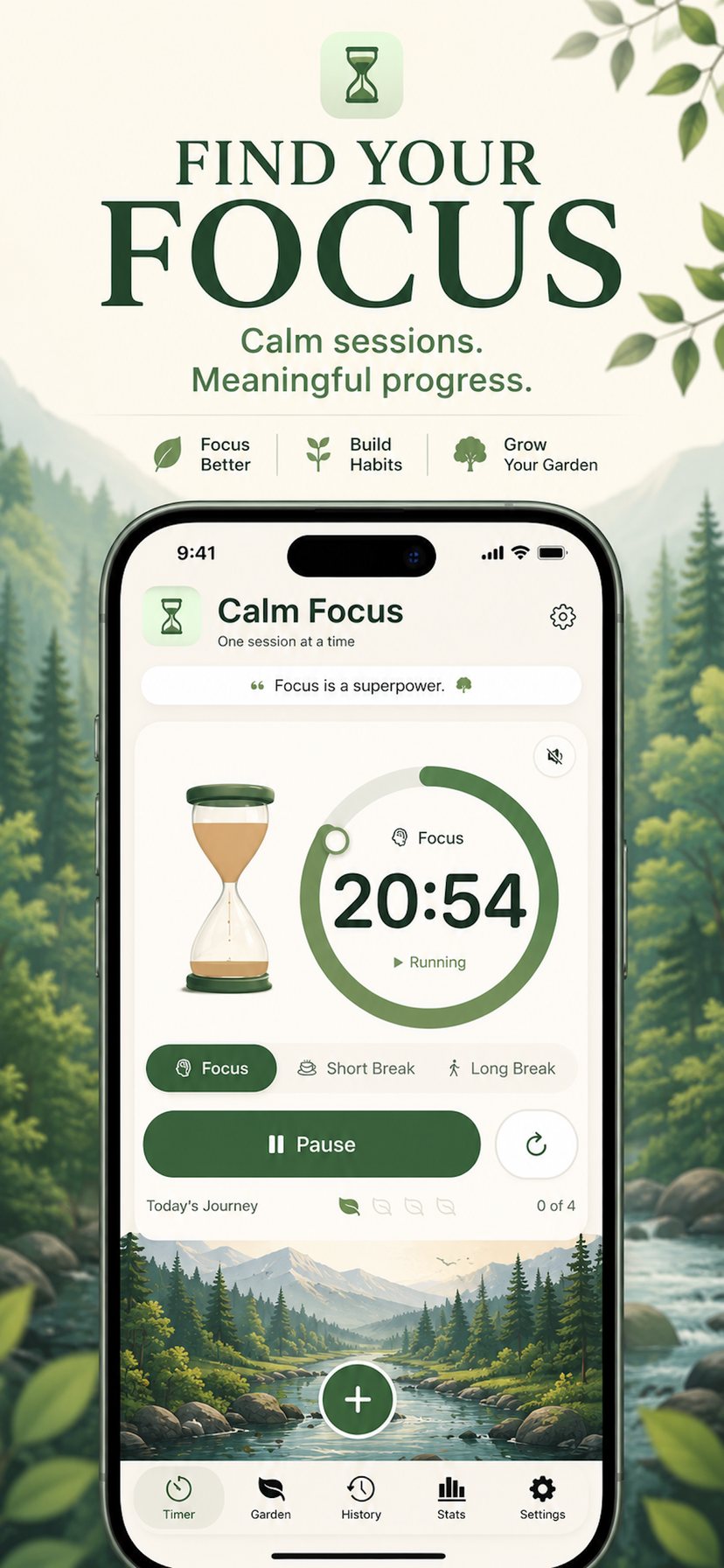
A timer that stays out of your way
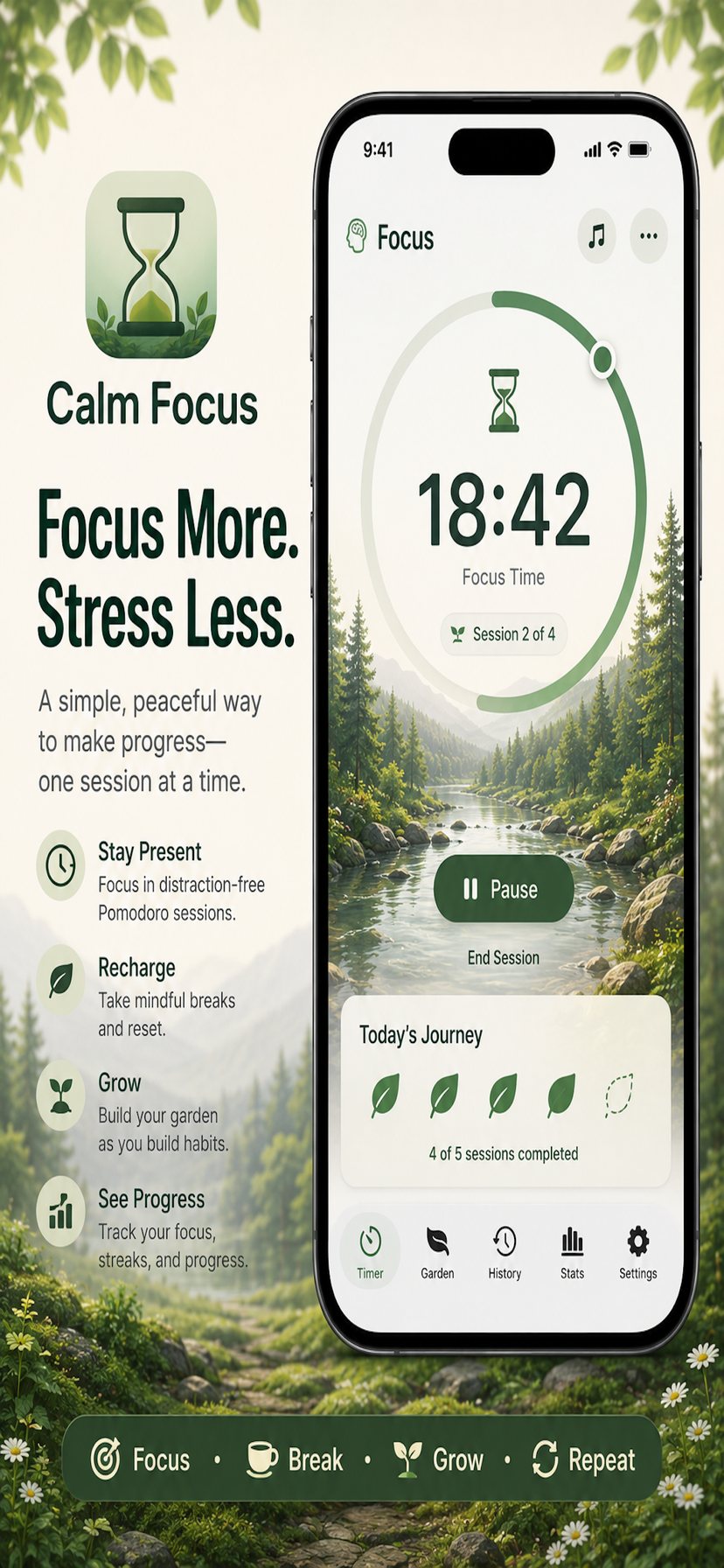
Calm Focus runs the classic Pomodoro rhythm — a stretch of focused work, a short break, and a longer break after several rounds — with every duration under your control. The countdown is shown as a soft ring around a slowly draining hourglass, so you can read your progress at a glance without staring at numbers.
Three modes
Focus, Short Break, and Long Break, each with its own feel and its own scene. Switch between them with a tap.
Your durations
Focus from 5 to 60 minutes, short breaks 1 to 30, long breaks 5 to 45, with a long break after every 2 to 8 focus sessions. Defaults are the familiar 25 / 5 / 15 every 4.
Optional automation
Auto-start your breaks, auto-start the next focus session, or neither. Both are off by default, so nothing begins without you.
Accurate in the background
Sessions are tracked against the real clock, so the countdown stays correct while the app is in the background or your phone is locked, and finishes at the right moment.
Calm Focus deliberately has no Lock Screen widget, Live Activity, or Dynamic Island countdown. A timer that follows you onto every screen is a timer you keep checking. If you'd like to be told when a session ends, turn on notifications and one will be scheduled locally on your device.
The Focus Garden
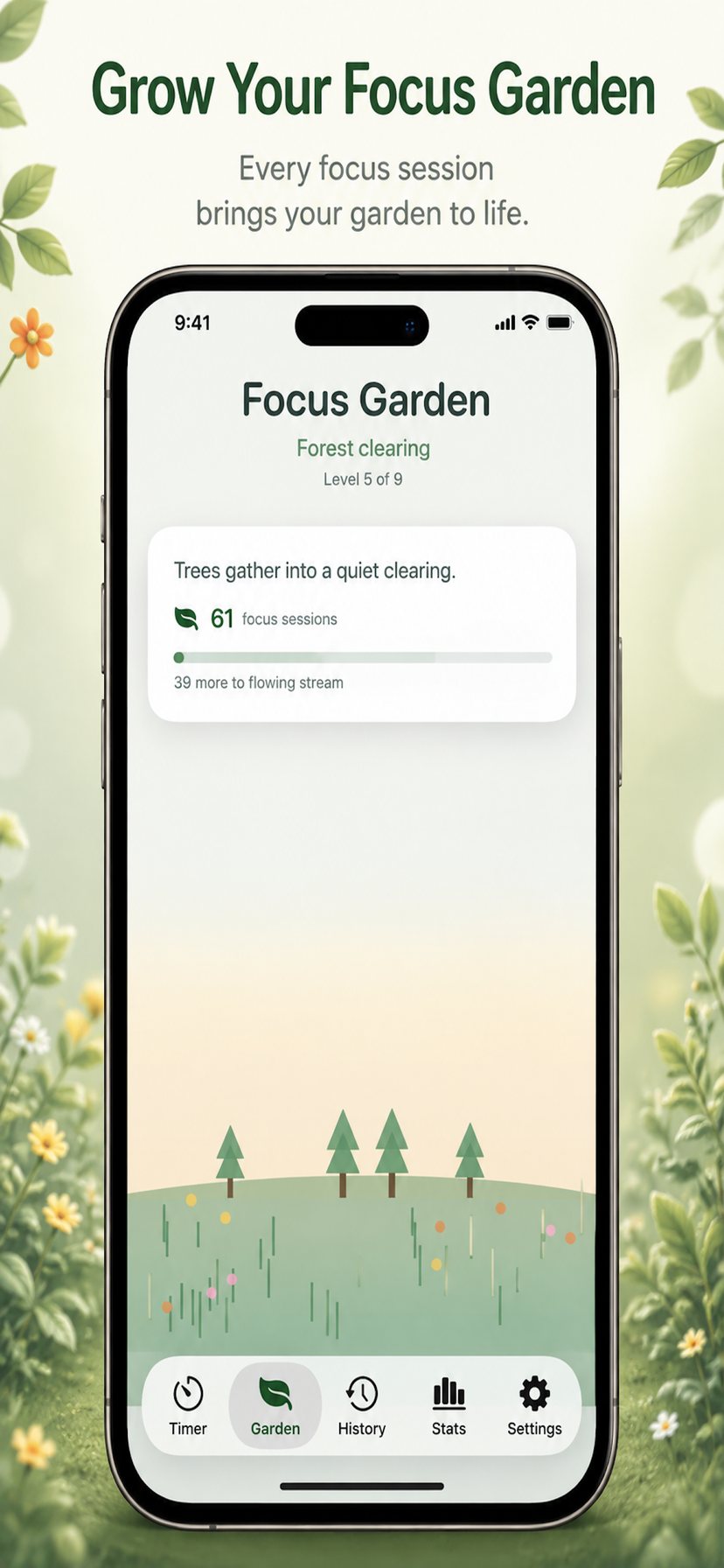
Every completed focus session is one more step in a landscape that grows over months, not minutes. It starts as bare ground with a single planting marker. Your first session breaks a sprout through the soil. Keep going and grass spreads, wildflowers open, a sapling reaches up, trees gather into a clearing, a stream begins to flow, a path winds through the woodland, mountains rise beyond the valley — until the whole scene becomes a living sanctuary.
There are ten levels in all, and the thresholds get further apart as you climb, so the later stages genuinely mean something. When you reach a new level, only the newly unlocked element animates into place — the rest of the scene stays exactly as it was.
| Level | Scene | Sessions |
|---|---|---|
| 0 | Bare ground | — |
| 1 | First sprout | 1 |
| 2 | Fresh grass | 5 |
| 3 | Wildflowers | 15 |
| 4 | Young sapling | 30 |
| 5 | Forest clearing | 60 |
| 6 | Flowing stream | 100 |
| 7 | Woodland path | 175 |
| 8 | Mountain overlook | 300 |
| 9 | Living sanctuary | 500 |
A landscape that knows what day it is
Behind the timer sits a gentle illustrated horizon that shifts with the real world. It picks up the colours of the current season — soft greens in spring, deeper foliage in summer, warm ambers in autumn, cool greys in winter — and grades itself to the time of day, so a late-evening session looks different from a morning one.
Each mode has its own quiet motion. During a focus session, clouds drift. On a short break, a butterfly flutters past. On a long break, light shimmers across the water and a lantern glows. The animation pauses when the scene isn't on screen and eases off on Low Power Mode, so the atmosphere never costs you battery.
Ambient sound, if you want it
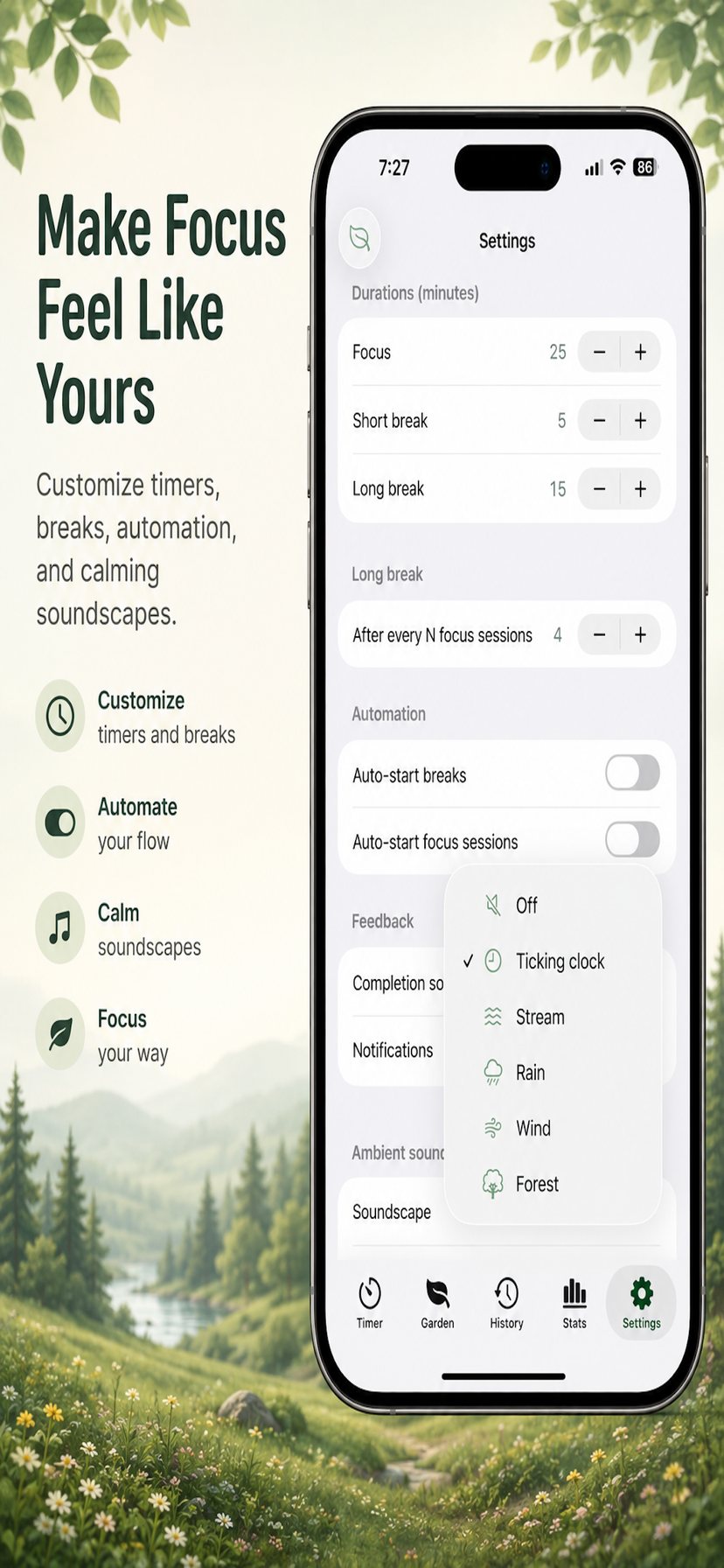
Calm Focus can play a gentle soundscape while a timer runs. It is off by default — tap the speaker in the corner of the timer card when you want it, and it stays off until you do.
Choose from a soft ticking clock, a stream, rain, wind, or forest. Every sound is generated on your device in real time rather than looped from a recording, so nothing repeats in a way your ear can latch onto and the app stays small. Volume is yours to set, and the soundscape plays through focus sessions and breaks alike.
Tasks, without the project management
A lightweight list sits one tap from the timer. Add what you intend to work on, pick one as your current task, reorder them, and check them off. Each task keeps a count of the focus sessions you've spent on it, so you can see what actually took the time. Completed tasks can stay visible as a record of the day, or be tucked away — your choice.
Today
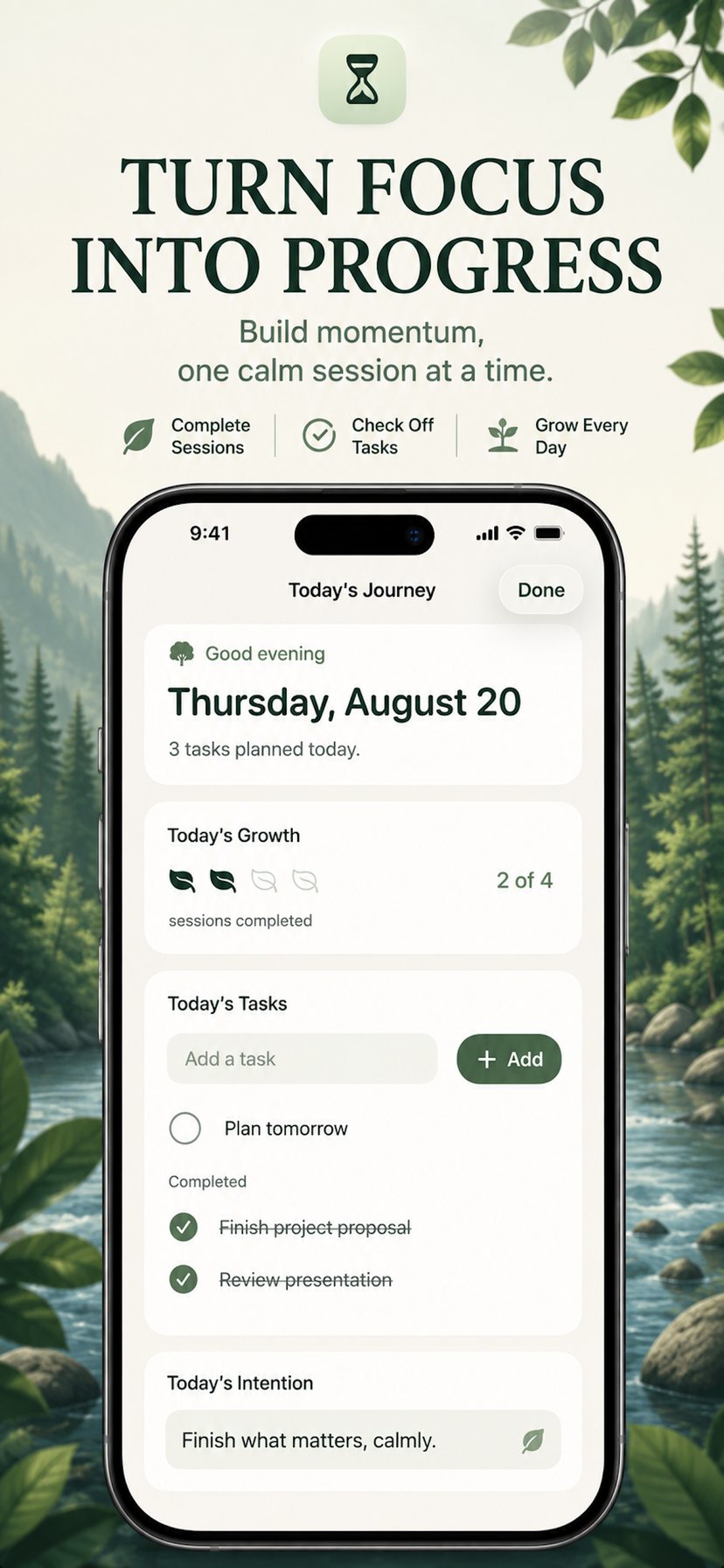
The Today screen gathers the day into one calm page: a greeting that matches the season and the hour, your progress toward the day's growth, the tasks you've set, an intention for the day, and — in the evening — one quiet prompt asking what went well. A short line of reflection closes it out.
A Focus Companion occasionally offers an understated line tied to the scene and how your day is going. It speaks at a few meaningful moments and stays silent the rest of the time.
Stats and history worth looking at
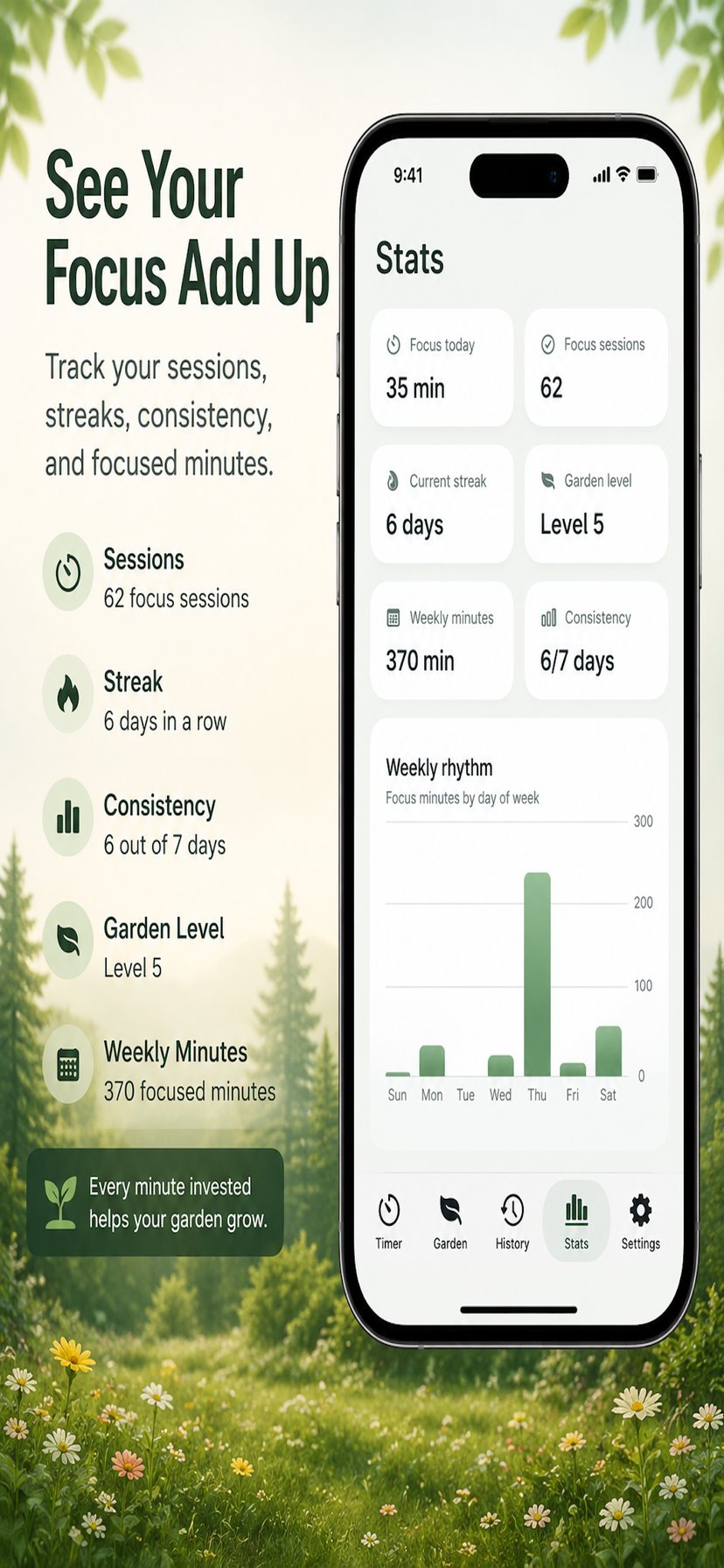
Calm Focus keeps a record of every completed session, and turns it into six plain numbers rather than a wall of charts: minutes focused today, total focus sessions, your current streak, your garden level, minutes this week, and how consistent you've been. Below them, a weekly rhythm chart shows your focus minutes by day of the week — useful for noticing that your Thursdays are quietly falling apart.
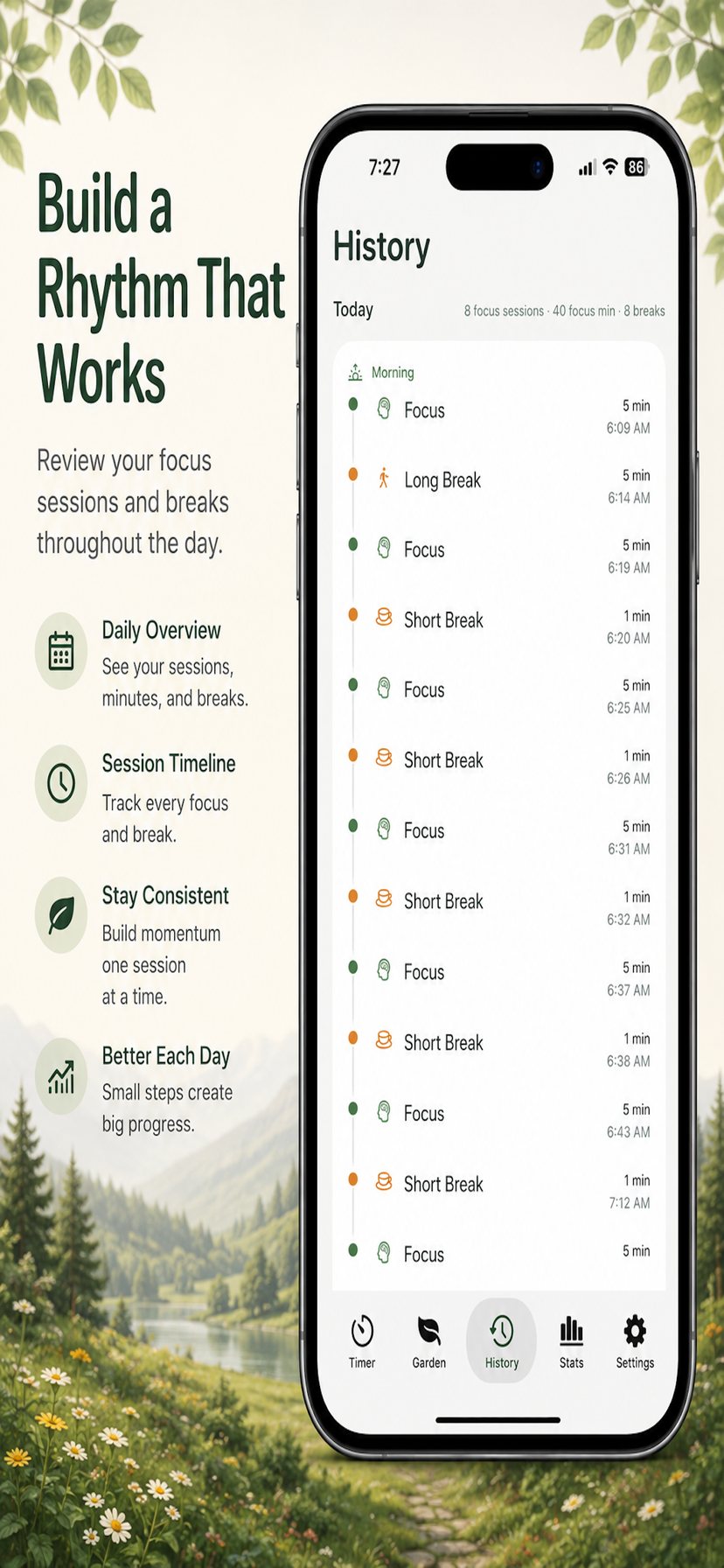
The History screen lists your sessions day by day, with the length of each one, so you can look back over a week or a month without any interpretation layered on top.
Considered details
Accessibility
VoiceOver labels across the timer and task flows, Dynamic Type for text, and motion that eases off when Reduce Motion is switched on.
Light and dark
A soft, low-contrast palette designed for long sessions, in both light and dark appearance.
Quiet by default
Sound off, automation off, no badges, no streak-loss warnings, and no re-engagement notifications. Ever.
Small and fast
No audio files, no analytics SDKs, no ad frameworks. The app does one thing and loads instantly.
Private by design
Calm Focus collects nothing. There is no account and no sign-in. There are no analytics, no advertising, no third-party tracking SDKs, and no network connections at all — the app works fully offline because it never needed to be online in the first place.
Your sessions, tasks, history, garden progress, reflections, and settings are stored only on your device using Apple's standard local storage. They travel only in your own device or iCloud backups, if you use them. Deleting the app removes the data with it. Nothing is ever sent to us, because there is nowhere for it to be sent.
Common questions
- Does the timer keep running if I leave the app?
- Yes. Sessions are measured against the real clock, so the countdown stays accurate in the background or with your phone locked, and completes at the right time. With notifications enabled, you'll be told when it ends.
- Will I see a countdown on my Lock Screen?
- No. Calm Focus has no Lock Screen widget, Live Activity, or Dynamic Island timer — that's a deliberate design decision, not a missing feature. Open the app to see time remaining.
- I turned on sound but can't hear anything.
- Check that the speaker icon in the timer card isn't crossed out, that the volume slider in Settings isn't at zero, and that your device volume is up. Ambient sound plays whether or not your ring/silent switch is on.
- Can I change how long a session lasts?
- Settings → Durations. Focus, short break, and long break lengths are all adjustable, along with how many focus sessions come before a long break.
- What happens to my garden if I miss a day?
- Nothing. The garden grows on your total completed sessions and never shrinks. Calm Focus doesn't punish gaps.